
Sailpoint IdentityIQ – Mobile User Interface
Sailpoint IdentityIQ includes a mobile user interface, this is designed to support access through mobile devices like phones and tablets.
The mobile UI pages are accessible from URLs under the Sailpoint IdentityIQ Base URL ( identityiq/ui/login.jsf ).
If you are working in your IdentityIQ sandbox, you can use the following url to access the mobile UI: http://127.0.0.1:8080/identityiq/ui/login.jsf or http://localhost:8080/identityiq/ui/login.jsf.
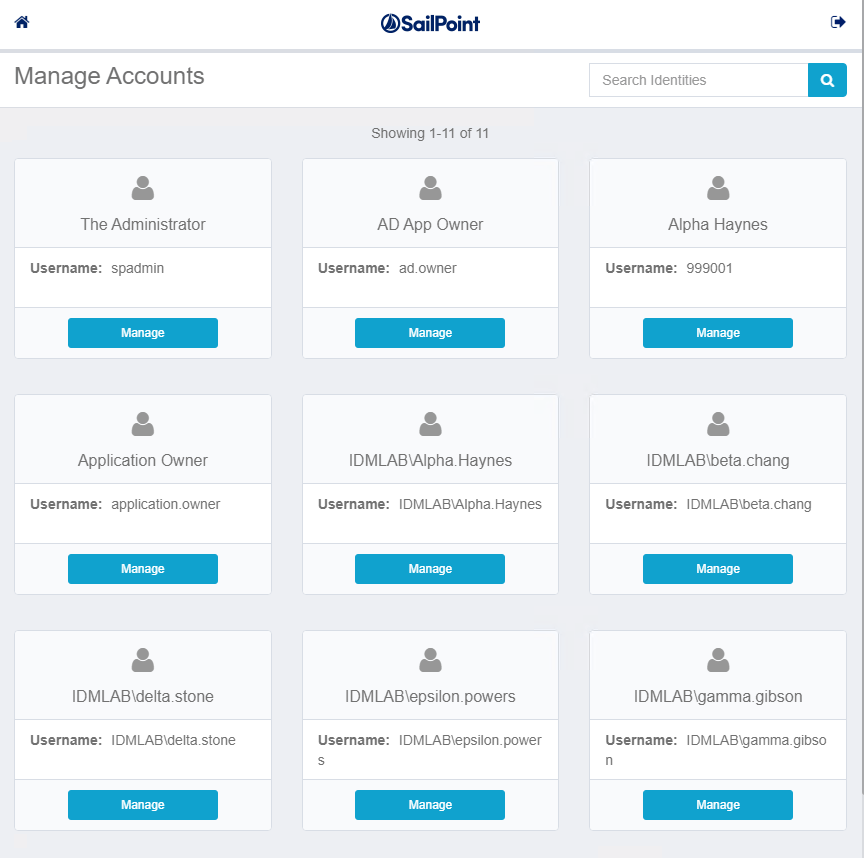
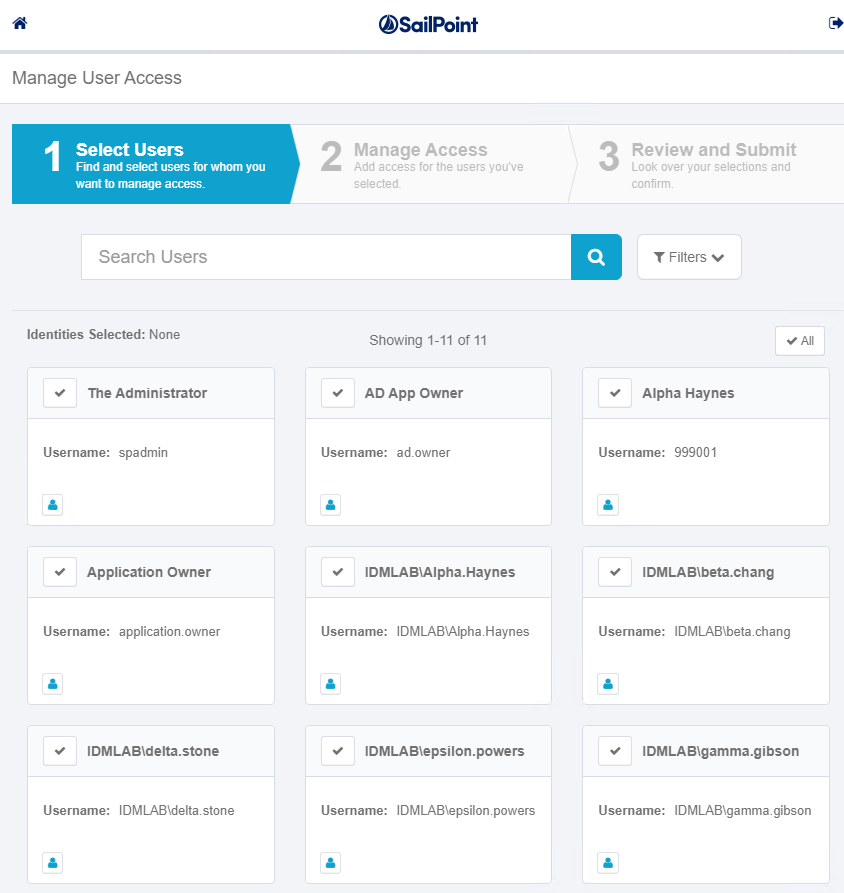
Below a screenshot how the UI looks like.
After you login IdentityIQ display the options available.
Mobile UI Home Page

Mobile UI – Manage Accounts
Mobile UI – User Access
As part of your deploy IdentityIQ architecture, you need to consider the mobile UI due the high demand of employees working with mobile devices, but you need to decide what will be your best strategy to deploy the component.
There are three suggested strategies for permitting that access:
- Expose the entire IdentityIQ application to the Web
- Use a proxy server set up in the DMZ that would only serve up the subset of the URL namespace where the mobile UI resides
- Use the auto-VPN features of a Mobile Application Management software.
Visit Sailpoint IdentityIQ
Keep visiting us for more IdentityIQ quick reviews.
Gabriel Magarino

Gabriel Magarino – Senior Security Manager | IAM Evangelist - Experienced leader with over 20 years in the IT and cybersecurity industry, specializing in Identity & Access Management. Expert in Okta, One Identity, SailPoint (IdentityIQ & IdentityNow), OneLogin, Delinea, and CyberArk. Passionate about exploring IAM and emerging technologies, coaching, and training IAM teams. Holds a Master’s in Computer Science and multiple certifications, including Okta Professional & Administration, One Identity Architect & Instructor, SailPoint Identity Now, ITIL, Scrum Master, among others. Currently pursuing a PhD with a focus on Computer Science and Artificial Intelligence.