
Running a task in Sailpoint IdentityIQ is a daily operation you will need to perform, specially during your development cycle. Next screen shows how to execute any task within IdentityIQ Product without the need to open the Edit Task screen.
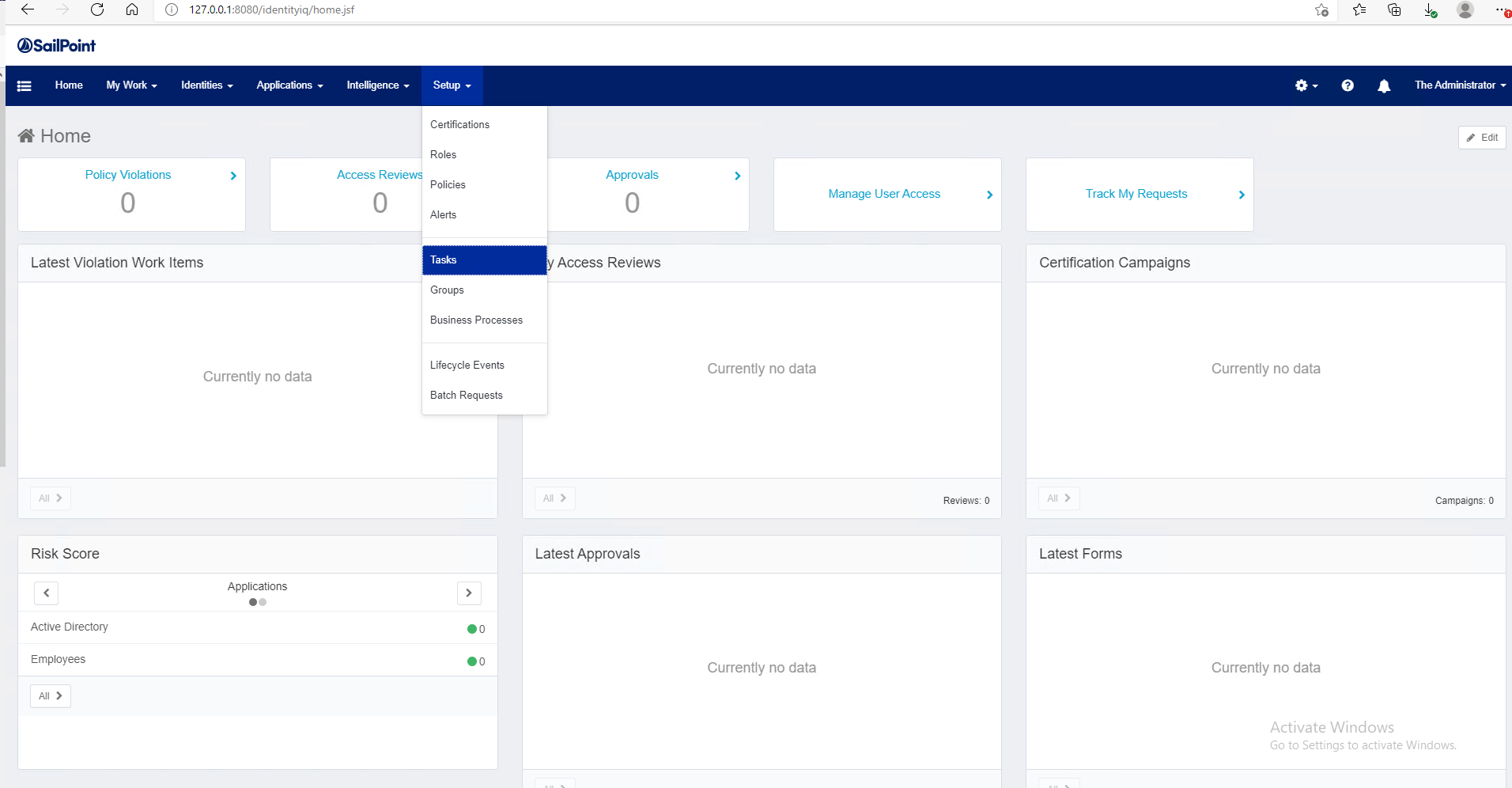
- Go to the Setup > Task menu option.
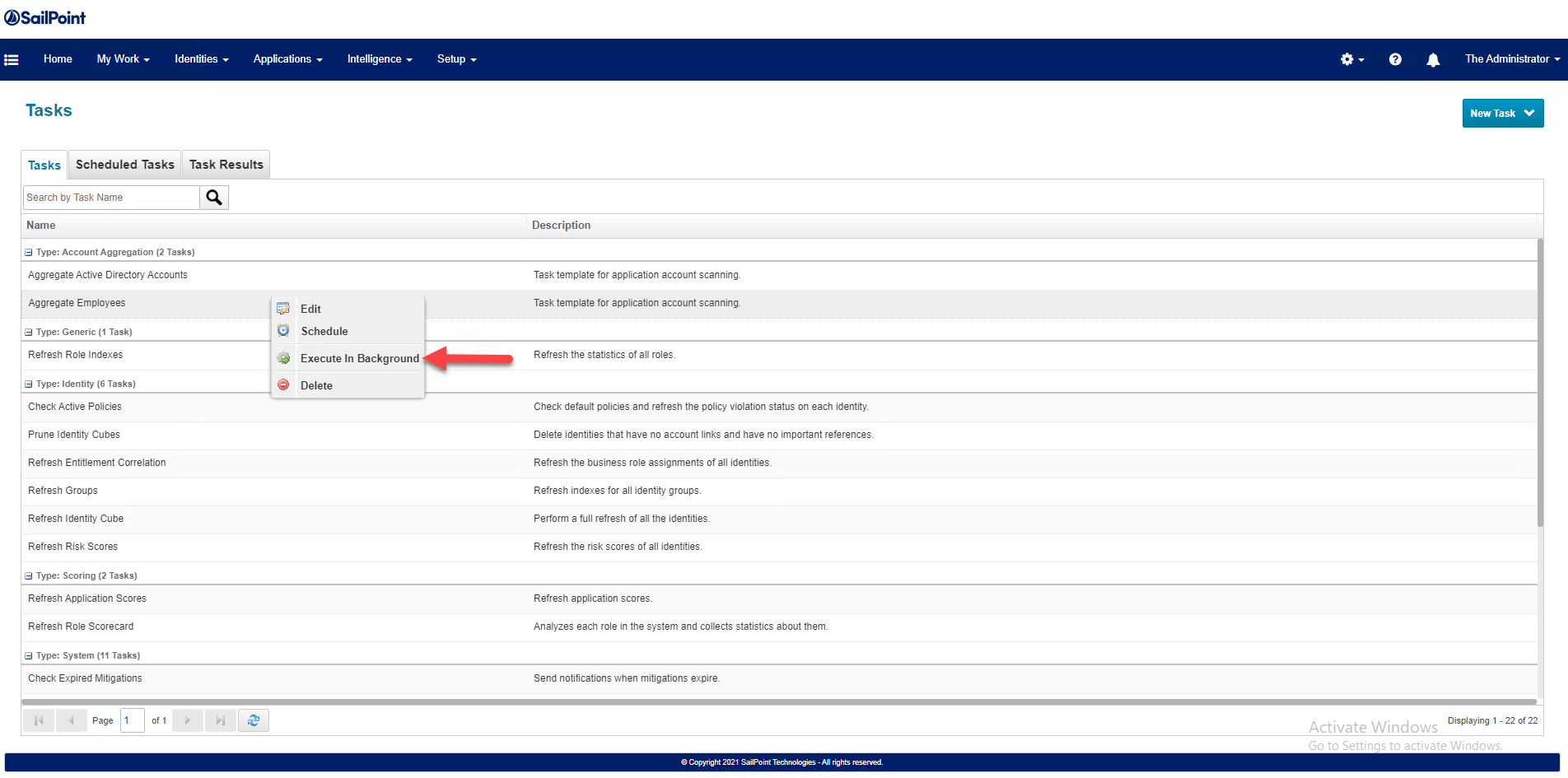
2. IdentityIQ opens the list of task available. For this example we will take the Aggregate Employees task, right click on the entry and a popup menu will be available. From the list of menu options select Execute In Background .
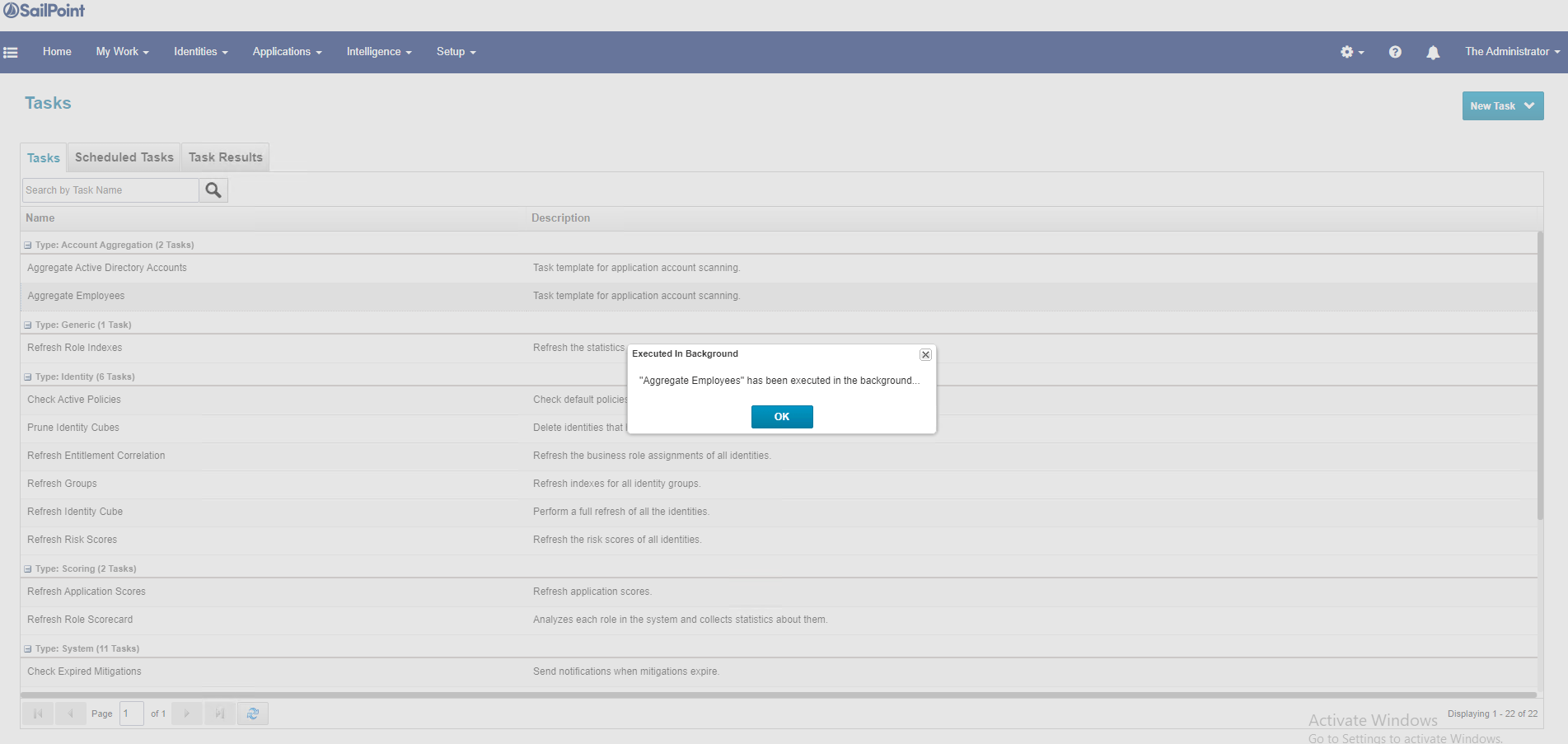
3. IdentityIQ will start the background execution for the Task selected.
4. Click in the Task Results to see the status of the task.
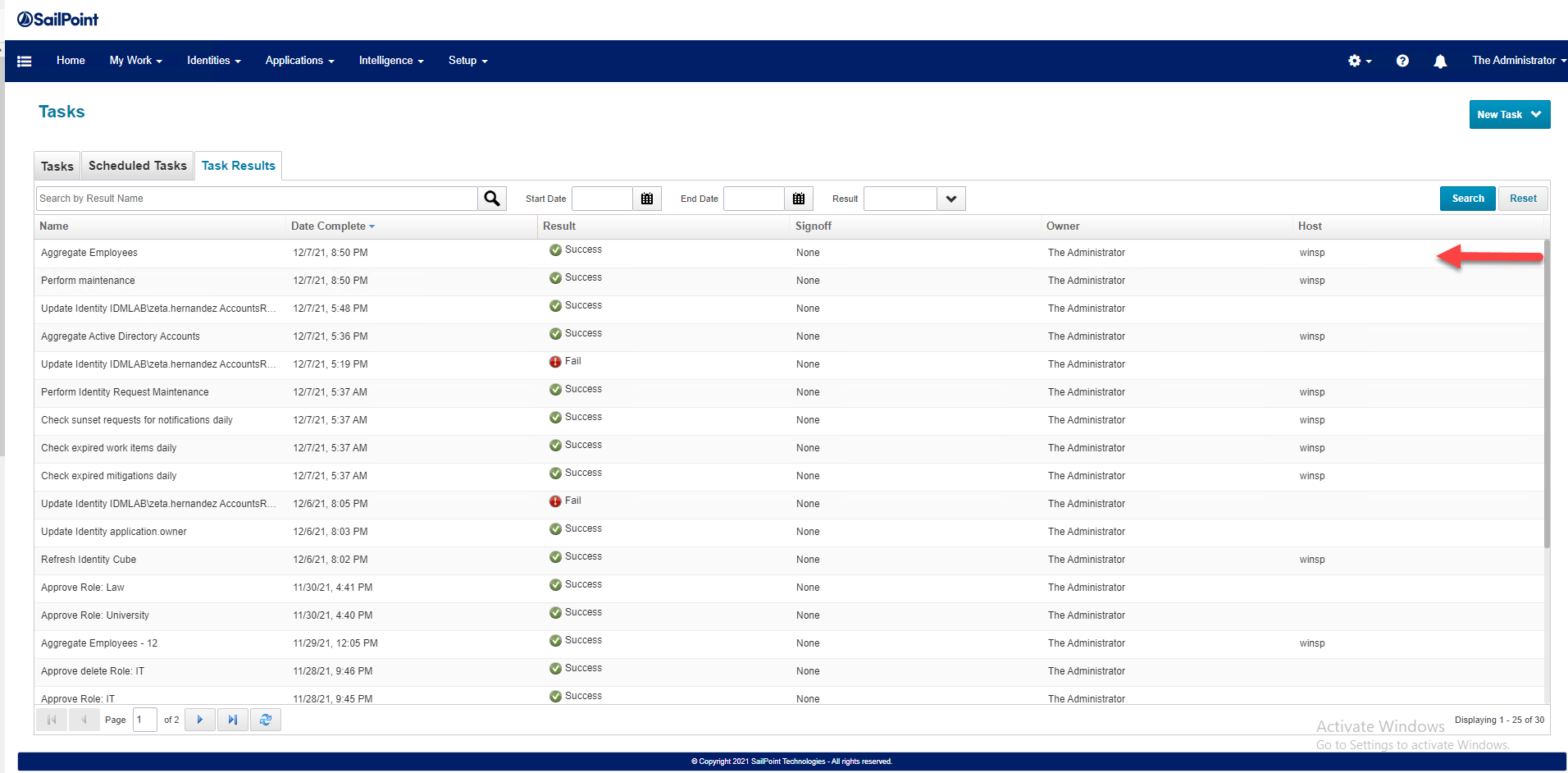
That’s a quick way to run a Task, we will keep exploring more in future posts.
Keep visiting us for more Sailpoint IdentityIQ quick reviews.
Gabriel Magarino

Gabriel Magarino – Senior Security Manager | IAM Evangelist - Experienced leader with over 20 years in the IT and cybersecurity industry, specializing in Identity & Access Management. Expert in Okta, One Identity, SailPoint (IdentityIQ & IdentityNow), OneLogin, Delinea, and CyberArk. Passionate about exploring IAM and emerging technologies, coaching, and training IAM teams. Holds a Master’s in Computer Science and multiple certifications, including Okta Professional & Administration, One Identity Architect & Instructor, SailPoint Identity Now, ITIL, Scrum Master, among others. Currently pursuing a PhD with a focus on Computer Science and Artificial Intelligence.